![AIM Logo Final White RGB@2x.png]](https://3437204.hs-sites.com/hs-fs/hubfs/AIM%20Logo%20Final%20White%20RGB@2x.png?height=50&name=AIM%20Logo%20Final%20White%20RGB@2x.png)
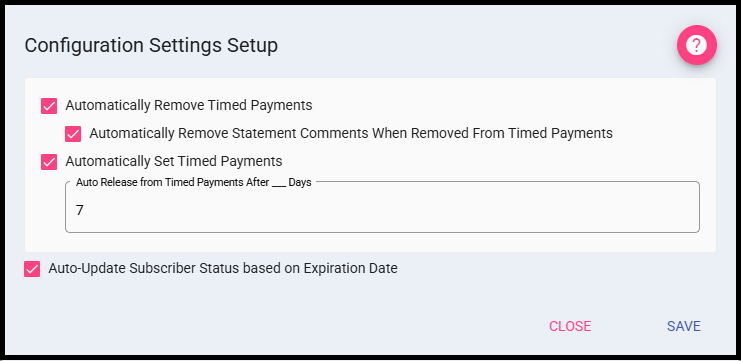
Automatically Remove Timed Payments: If checked, the program automatically removes the Timed Payment set for an account (Type and Value fields) if the Patient Balance is less than the agreed amount or paid in full.
This feature does not remove a timed payment from an account if a payment is missed.
Automatically Remove Statement Comments When Removed From Timed Payments: Automatically removes the Statement Comments in the Account/Sub module's Other Tab when the account is automatically removed from the timed payments process. This setting requires Automatically Remove Timed Payments to be enabled in order to work.
Automatically Set Timed Payments: If checked, the program automatically sets an account to Timed Payments when a patient payment is posted that does not cover the full remaining balance. When triggered, the system sets the Timed Payment Type to Percent of Total, the Value to 100%, and the Date Entered to the transaction date of the patient payment.
Auto Release from Timed Payments After ___ Days: This field can only be enabled when Automatically Set Timed Payments is checked. When populated with a value, the account is automatically removed from timed payments after the specified number of days, counting from the Date Entered value. The account's Type is set back to No Timed Payments upon release.
Auto-Update Subscriber Status based on Expiration Date: If enabled, the Subscription Status of patient accounts within the Accounts/Subscription Module will be automatically updated nightly based on if their expiration date is less than or equal to the current date. If not enabled, Subscriber Statuses must be manually updated.
When SAVE is clicked any changes will be saves. If CLOSE is clicked before a change has been saved the user is prompted with a warning.