![AIM Logo Final White RGB@2x.png]](https://3437204.hs-sites.com/hs-fs/hubfs/AIM%20Logo%20Final%20White%20RGB@2x.png?height=50&name=AIM%20Logo%20Final%20White%20RGB@2x.png)
Within the Billing Module, select the Utilities icon on the top right of the menu bar.

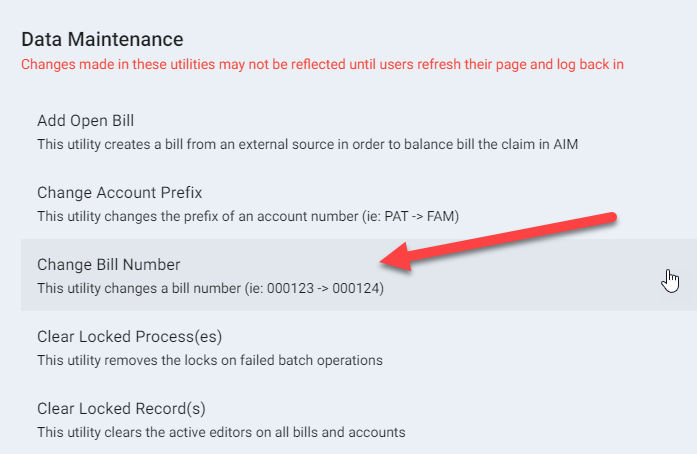
Within the Data Maintenance window, select the option: Change Bill Number.
Enter all requested information to change the Bill Number.
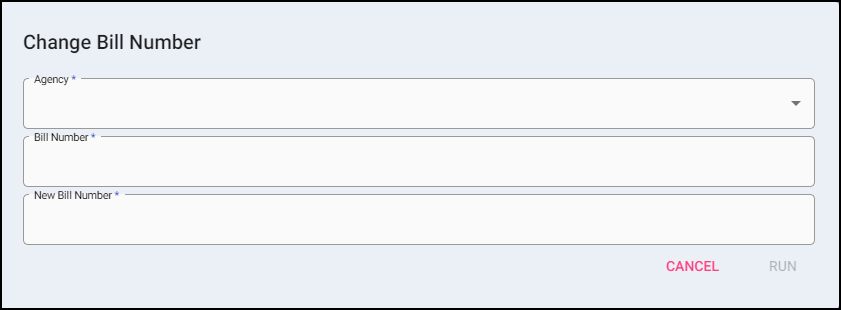
- Select the Agency (if applicable).
- Type in the existing Bill Number.
- Type in the new Bill Number.
- Click Run.
- A prompt confirms the bill number change requested, showing Existing Bill Number and New Bill Number.
The system will alert if the bill number can not be found or already exists.