![AIM Logo Final White RGB@2x.png]](https://3437204.hs-sites.com/hs-fs/hubfs/AIM%20Logo%20Final%20White%20RGB@2x.png?height=50&name=AIM%20Logo%20Final%20White%20RGB@2x.png)
Selected options in this setup determine how the Collections Report is operated.

Run Collection Report By can be set to Date Billed or Date of Last Payment.
When set to Date Billed, the number in the Number of Days Old field is used. Any bill that is the specified number of days or older and has an open balance is included in the Collections Report.
Note: This defaults at 120 days. It is not recommended to have a time frame shorter than this.
When set to Date of Last Payment, the number in the Number of Days Since Last Payment field is used. Any bill with an open balance that does not have a payment posted within the specified number of days or older is included on the Collections Report.
When Post Bills to Collections is marked Yes, the program posts a 'Send to Collections' (SL) Transaction on the identified bill numbers when the Collections Report is run. Posting the SL moves the bill numbers into Collection Status.
If No, the SL Transaction must be posted manually to move a bill into Collection Status.
Note: A bill in Collection Status is removed from most normal reporting and printing processes.
Write-Offs allow the program to automatically write off bills as soon as they are sent to collections.
When Write Off to Bad Debt is marked Yes, the Write Off Transaction Type field will be enabled and allow the ability to define what Write-Off (WB) transaction the program will post. Posting the WB moves the bill into a Closed Status.
Write Off to Bad Debt is only applicable if the Post Bills to Collections is marked Yes.

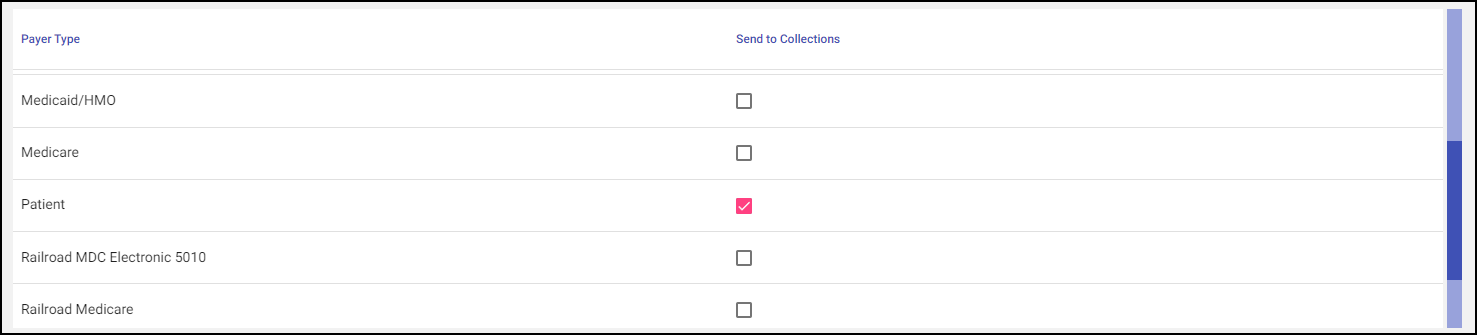
Any Payer Type can be marked for inclusion on the Collections Report, but only the patient should be used. Attempting to collect money owed by a contracted payer or by an agency is not recommended.
Note: A review of the Collections Report before sending it to the Collections Agency is a must. Timed Payments are not included in the Collections Report.