![AIM Logo Final White RGB@2x.png]](https://3437204.hs-sites.com/hs-fs/hubfs/AIM%20Logo%20Final%20White%20RGB@2x.png?height=50&name=AIM%20Logo%20Final%20White%20RGB@2x.png)
A Role is a predefined category that can be assigned to users on the basis of their job title or some other criteria. Roles are typically used to setup specific permissions for each employee/user. Some example Role's are; Administrator, Biller, and Agency User.
Default Roles and the permissions for each role are set at the time of installation. These can be edited at any time and an unlimited amount of Roles can be created.
Permissions for each role give users access to specific Modules and areas of the system.

Add: A new value can be added to the list using the plus button on the top right.
When Add is selected, it opens the data entry for adding a new Role option. Once the Role is created and permissions for the role entered, select Save to add the value to the list or Save & Add to add the value to the list and add more.
Selecting Cancel will take the user back to the Quick Pick list of values without adding a new value.

Filter: To narrow the results of a list, begin typing the title you are searching for.

Actions: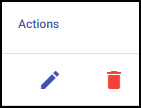
Edit: If changes need to be made to an entry, use the edit button.
Delete: Remove an existing entry.