![AIM Logo Final White RGB@2x.png]](https://3437204.hs-sites.com/hs-fs/hubfs/AIM%20Logo%20Final%20White%20RGB@2x.png?height=50&name=AIM%20Logo%20Final%20White%20RGB@2x.png)
This utility creates a list of all commercial payers in the program, in a text file that can be printed or emailed. This function is for setting up with the Trizetto clearinghouse, but can be used for other purposes.
Select the Utilities icon on the top right of the menu bar.

Within the Data Maintenance window, select the option: Create Trizetto Export File.
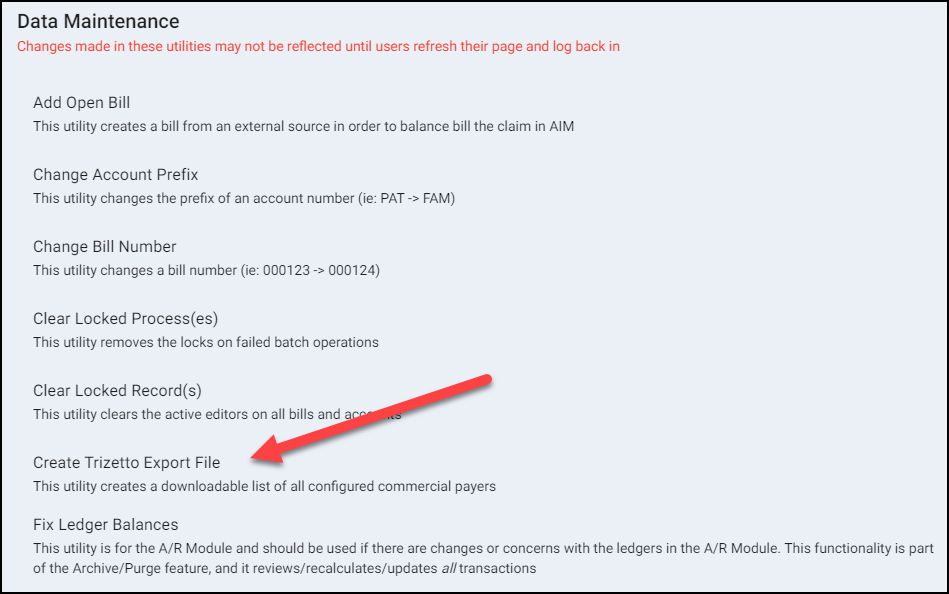
Enter all requested information to create the file.

- Select the Agency (if applicable).
- Click Run.
- A text file will be created to save (file may be auto-downloaded depending on browser settings).