![AIM Logo Final White RGB@2x.png]](https://3437204.hs-sites.com/hs-fs/hubfs/AIM%20Logo%20Final%20White%20RGB@2x.png?height=50&name=AIM%20Logo%20Final%20White%20RGB@2x.png)
Each module will have a category list on the left with a filter option for the available reports.
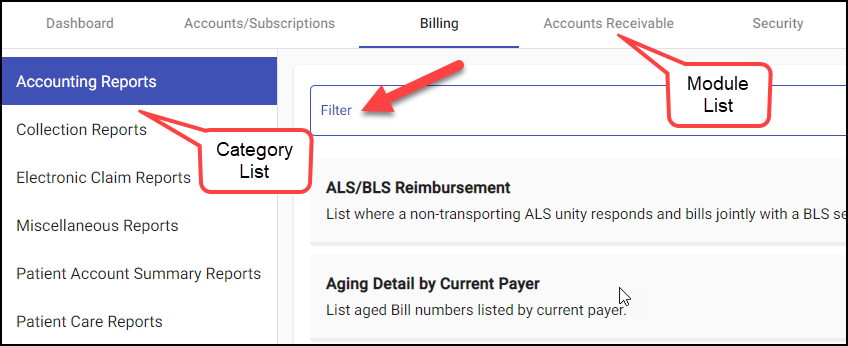
Each report will have a brief description listed below the name and the available options (report, or if available, queue) to the right. For more information on queues, please see Creating and Working Billing Queues.

Selecting the report option will give the criteria selection available for use. Possible criteria options may include:
- Search Criteria: Report/Queue specific criteria to obtain the requested data. Predefined columns will be shown with the results.
- Additional Filters: Allows additional filter options to be included to obtain more detailed results. Multiple filters may be added at once.
- Export Options: Specify format of the output of data. Available options include PDF, Excel, Word or CSV.
- Preview: Display the results in a PDF viewer within the AIM system. (Only available using the PDF export option.)
- Download: Download the results in specified export format to your computer.
Specific report information can be found by searching the report name within this knowledge base.