![AIM Logo Final White RGB@2x.png]](https://3437204.hs-sites.com/hs-fs/hubfs/AIM%20Logo%20Final%20White%20RGB@2x.png?height=50&name=AIM%20Logo%20Final%20White%20RGB@2x.png)
This utility should be used if there are changes or concerns with the ledgers in the A/R Module. This functionality is part of the Archive/Purge feature, and it reviews/recalculates/updates all transactions.
Select the Utilities icon on the top right of the menu bar.

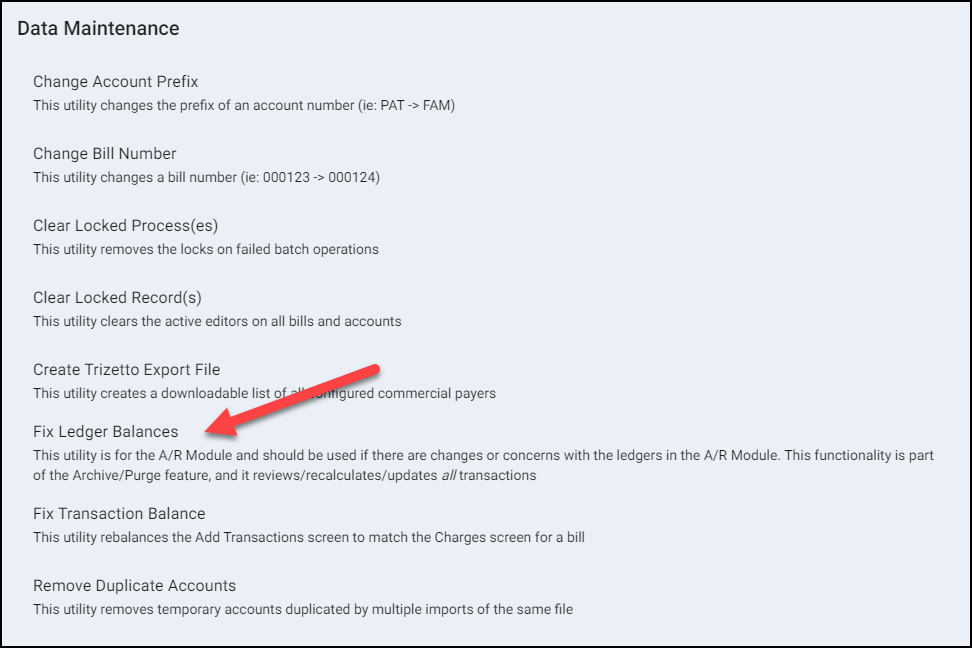
Within the Data Maintenance window, select the option: Fix Ledger Balances.
Enter all requested information to clear the locked process.

- Select the Agency (if applicable).
- Click Run.
- A prompt confirms the Ledgers have been rebalanced.
The process may take a large amount of time, depending on the size of the database.
This utility should only be run when no other users are inside the program. Be aware that when this utility is run in a large database, the users may not be able to access the program for an hour or more.
Fix Ledger Balance concerns issues in the A/R Module, usually with purges or transaction corrections. Fix Transaction Balances concerns a specific situation where a specific bill number has an incorrect posting screen balance.