![AIM Logo Final White RGB@2x.png]](https://3437204.hs-sites.com/hs-fs/hubfs/AIM%20Logo%20Final%20White%20RGB@2x.png?height=50&name=AIM%20Logo%20Final%20White%20RGB@2x.png)
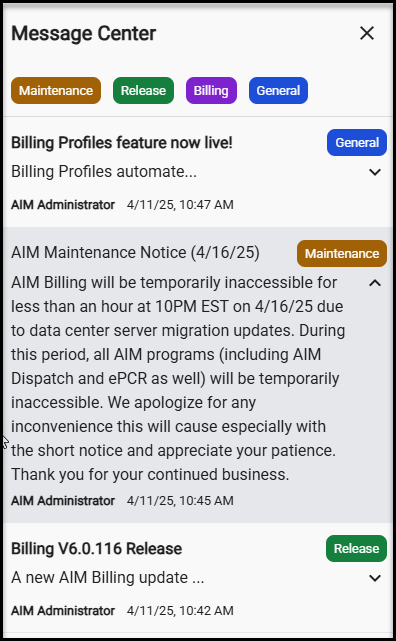
The Message Center is located on the top menu bar. It can be accessed from the Bell Icon 🔔 in the top right corner of the application.
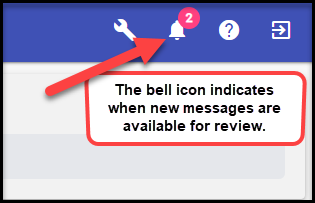

The Bell icon will jiggle when new notifications are received and every 25 seconds until all messages are read. The red badge indicates how many unread messages exist. AIM will notify you through a pop up message when a new message is received if you are actively in the program when the message is published.
Users will be able to access the Message Center from any module (except reports). While reviewing the messages, please be sure to close it with the X button before continuing use of AIM Billing.

The badge on the Bell Icon will update as new messages are read. Messages with bold titles indicate they are unread. Messages without bold titles have been previously reviewed. The Bell Icon will track a total of all unread messages, easily allowing users to understand when new messages are available. Read/unread statuses are specific to the user who is actively logged in. Most messages sent from AIM Administrators are available for all users.
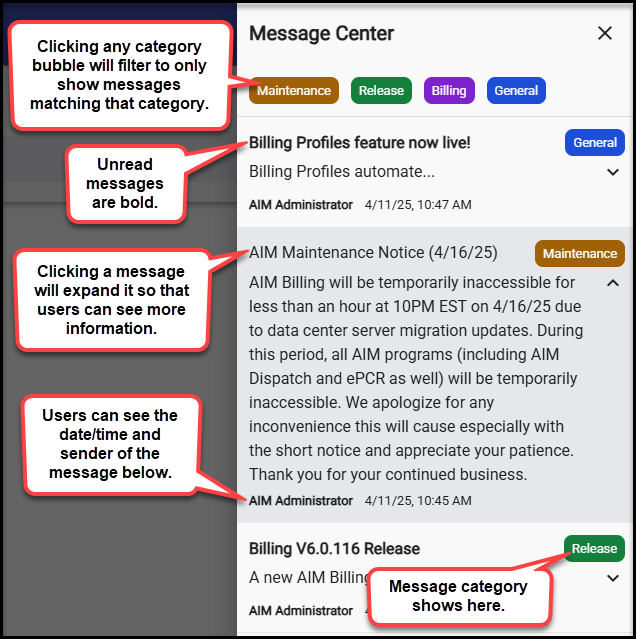
- Messages from the last 3 months are displayed in a scrollable list
- Each message shows:
- Sender name
- Message title (bold if unread)
- Message category (color-coded tag)
- Date received
MESSAGE CENTER TIPS:
- Check the Message Center regularly to stay informed about system changes
- Filter by category when looking for specific types of information
- Unread messages are easy to identify by their bold titles
- Message count badge makes it simple to see if you have new notifications