![AIM Logo Final White RGB@2x.png]](https://3437204.hs-sites.com/hs-fs/hubfs/AIM%20Logo%20Final%20White%20RGB@2x.png?height=50&name=AIM%20Logo%20Final%20White%20RGB@2x.png)
The narrative template setup lists the templates that can be used on the Narrative Tab in the Accounts Module.
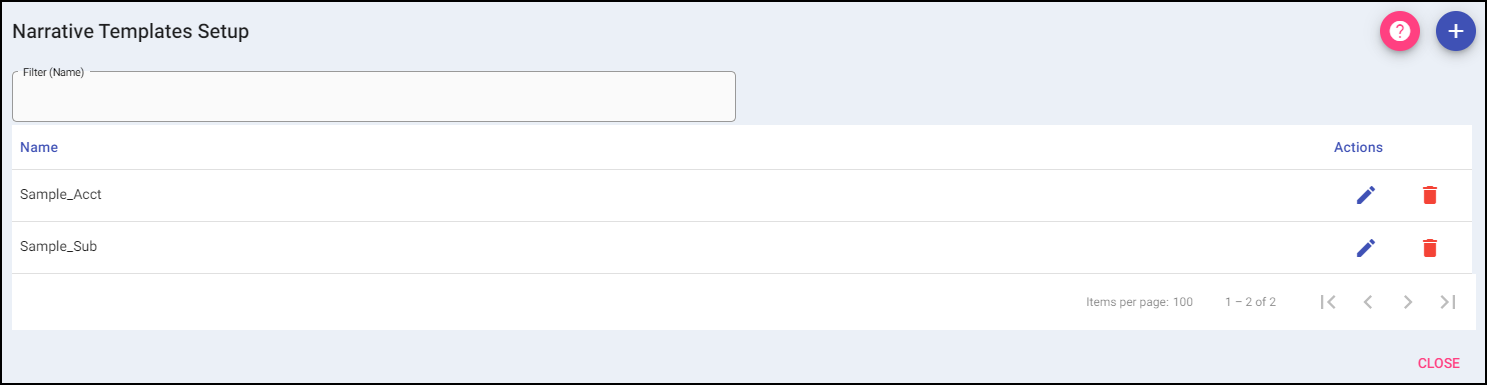
Add: A new value can be added to the list using the plus button on the top right.
When Add is selected, it opens the data entry for adding a new template. In the add window, the template can be named and text and fields can be added to complete an editable Narrative. Once completed, select Save to add the template to the list of saved options or Save & Add to add the template to the list and create another. Selecting Cancel will take the user back to the Narrative Template list without adding a new option.
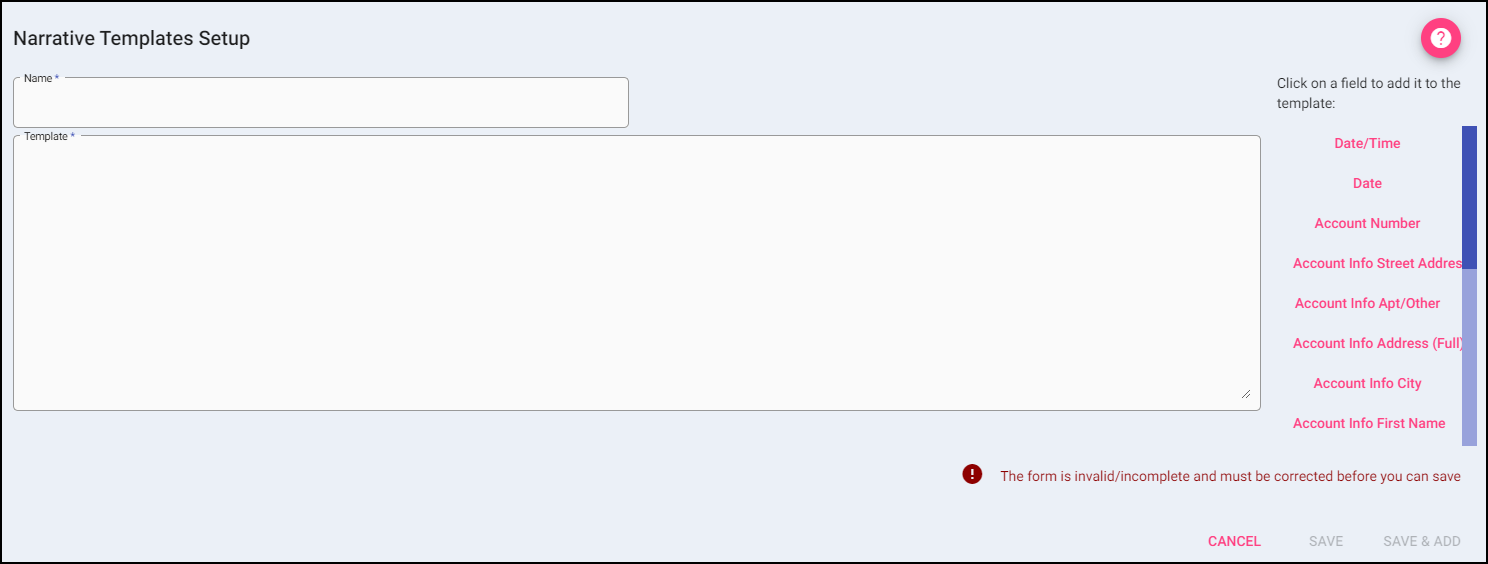
There are pre-made fields that can be added to the template:
- Date/Time
- Account Number
- Account Info Street Address, Apt/Other, Address (Full), City, State, Zip
- Account InfoFirst Name, Last Name, Middle Name, Suffix, Birth Date, Gender, Name (Full), Phone, SSN
- Account Payer(s)
- Account Supplemental(s)
- User Defined (Blank)
- This is a user-defined field that will display in the Narrative Template. When displayed in the Narrative of the account, the __________ will indicate information will need manually entered.
The Template box must have a minimum of 3 characters to be considered valid.
Filter: To narrow the results of a list, begin typing the city you are searching for.

Actions:
Edit: If changes need to be made to an entry, use the edit button.
Delete: Remove an existing entry.