![AIM Logo Final White RGB@2x.png]](https://3437204.hs-sites.com/hs-fs/hubfs/AIM%20Logo%20Final%20White%20RGB@2x.png?height=50&name=AIM%20Logo%20Final%20White%20RGB@2x.png)
This area was once required for Ambulance Billing purposes but is no longer needed for providing ID, NPI, or other physician-related identifications. Instead, it is used for reference purposes.
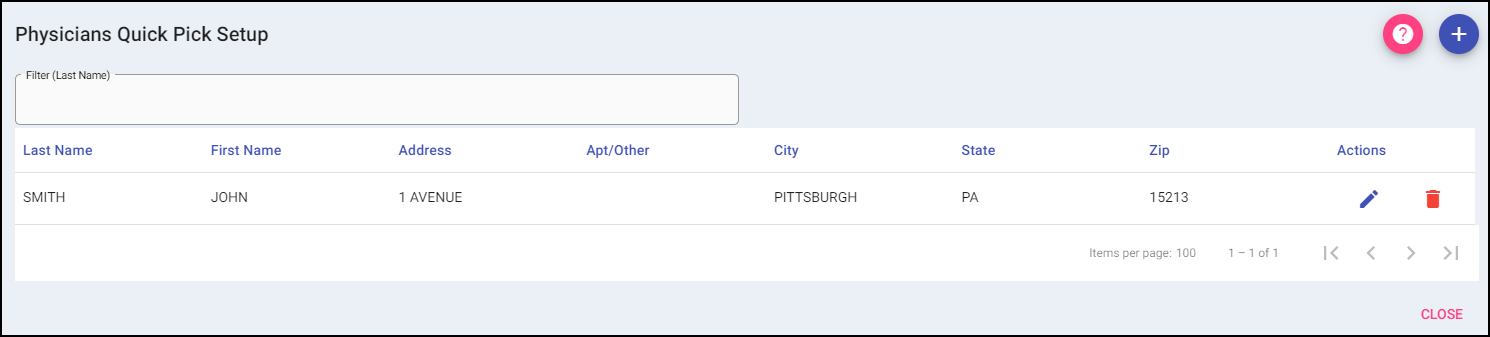
Add: A new value can be added to the list using the plus button on the top right. The value will be added to the grid.
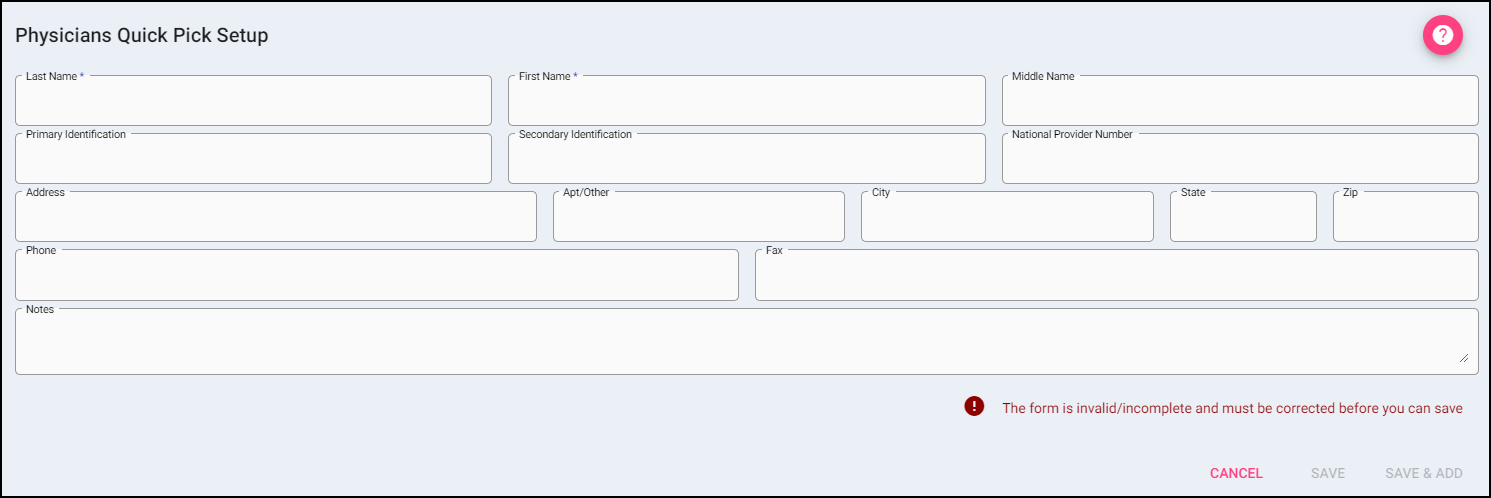
When Add is selected, it opens the data entry for adding a new value, including First and Last Name. Once the value is entered, select Save to add the value to the list or Save & Add to add the value to the grid and add complete additional entries.
Selecting Cancel will take the user back to the Physician list of values without adding a new entry.
Filter: To narrow the results of a list, begin typing the Last Name you are searching for.

Actions:
Edit: If changes need to be made to an entry, use the edit button.
Delete: Remove an existing entry.