![AIM Logo Final White RGB@2x.png]](https://3437204.hs-sites.com/hs-fs/hubfs/AIM%20Logo%20Final%20White%20RGB@2x.png?height=50&name=AIM%20Logo%20Final%20White%20RGB@2x.png)
The Subscription Module lists payments by the date entered, not the Payment Date Field. When reviewing the Dues History for an account, it may be helpful to sort by the Payment Date.
Once sorted, the entries of the Dues History remain in Payment Date order from oldest to newest. If sorted again, the order is from Newest to Oldest.
This utility cannot be used to return to the Date of Entry order.
Select the Utilities icon on the top right of the menu bar.

Within the Data Maintenance window, select the option: Sort Dues.

Enter all requested information to complete the sort process.
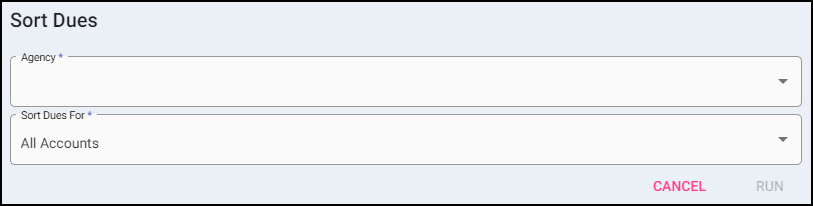
- Select the Agency (if applicable).
- Select the Sort Dues For field to indicate All Accounts or a Single Account.
- Enter the Account Number (if applicable).
- Click Run.
- A prompt confirms the sort has been completed.