![AIM Logo Final White RGB@2x.png]](https://3437204.hs-sites.com/hs-fs/hubfs/AIM%20Logo%20Final%20White%20RGB@2x.png?height=50&name=AIM%20Logo%20Final%20White%20RGB@2x.png)
Set up the fields available for use on the Other Tab in the Billing Module.
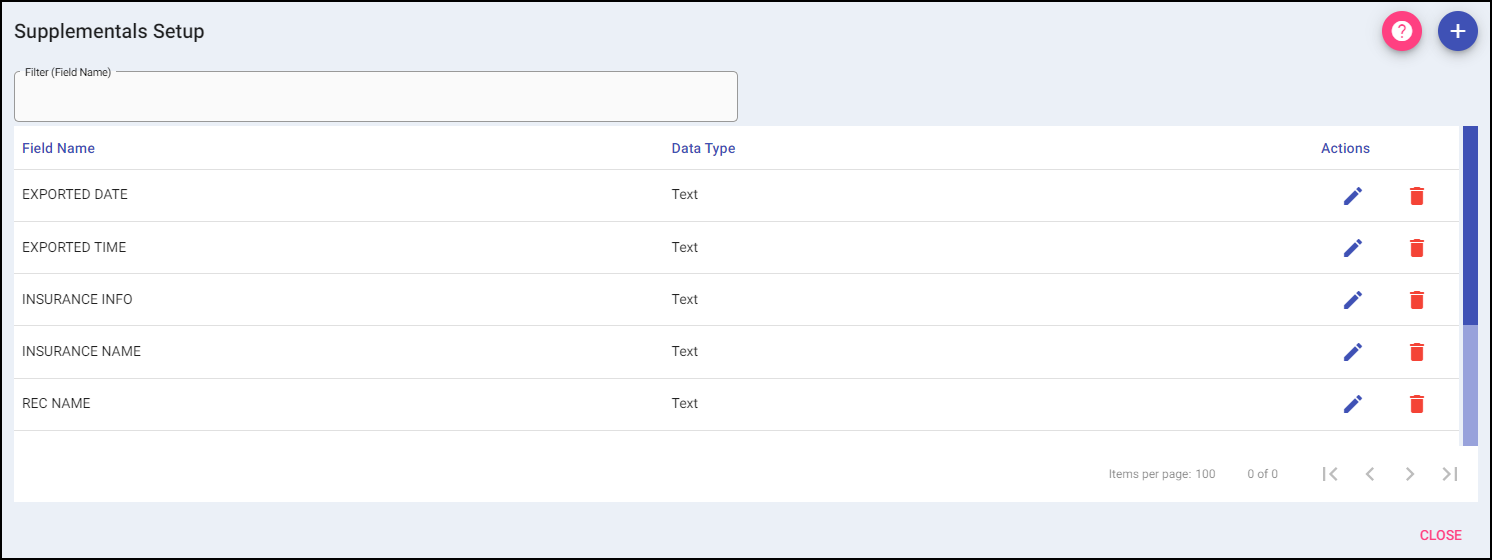 Utilize these fields (prompts) for reference only. They are not sent on bills, and the data is not available on standard Billing Module Reports.
Each entry has two parts: a Field Name and Data Type (formats of the data).
Add: A new value can be added to the grid using the plus button on the top right.
When Add is selected, it opens the data entry for adding a new Field Name into the text box and selecting a Data Type from the drop-down. Both the Field Name and Data Type have to be filled in for the SAVE and SAVE & ADD to be active
Once the entry is completed, select Save to add the value to the list or Save & Add to add the value to the list and add more. Selecting Cancel will take the user back to the list of grid entries without adding a new entry.
Data Type options include:
- Text, Date, Time, Number and Currency, which are straight-forward and format data as appropriate; for example, calendars are provided for date fields and slots are provided for time fields.
- Checkbox, which creates a checkbox.
- List, which creates a drop-down of selectable options.

Filter: To narrow the results of a list, begin typing the field name you are searching for.
