![AIM Logo Final White RGB@2x.png]](https://3437204.hs-sites.com/hs-fs/hubfs/AIM%20Logo%20Final%20White%20RGB@2x.png?height=50&name=AIM%20Logo%20Final%20White%20RGB@2x.png)
The AIM System works with multiple clearinghouses for sending electronic claims to commercial Payers. Format information from the claims entered in The AIM System, upload them to the clearinghouse website, and then send those claims (electronically or on paper) to the Payer(s).
Transmitting requires the Electronic Transmission role permission to be enabled for the active user's role.
Transmitting Commercial Claims
An FTP-based process exists for electronic transmissions to and from commercial clearinghouses, which is used for claims transmissions, as well as Reconciliation and Claims Status Features.
Before Transmitting
- Claims must be entered for the appropriate Commercial Electronic Payer.
- These claims must be in Waiting
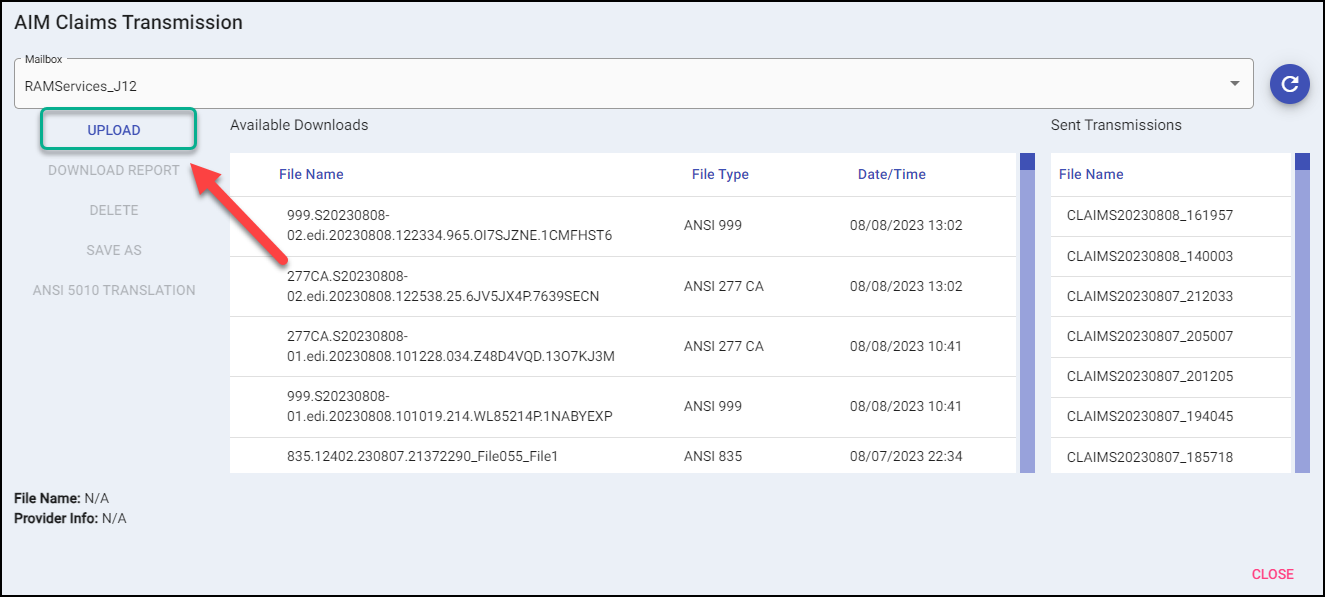
AIM Claims Transmission Screen
The AIM Claims Transmission Screen handles the uploading and downloading of various claims files.
Commercial Transmission Process
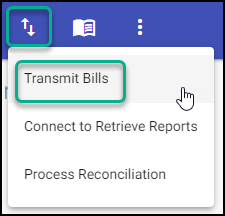
Select the transmit bills Icon from the main menu and the Transmit Bills process:
On the search screen, select your Commercial payer and Electronic form type, then search.
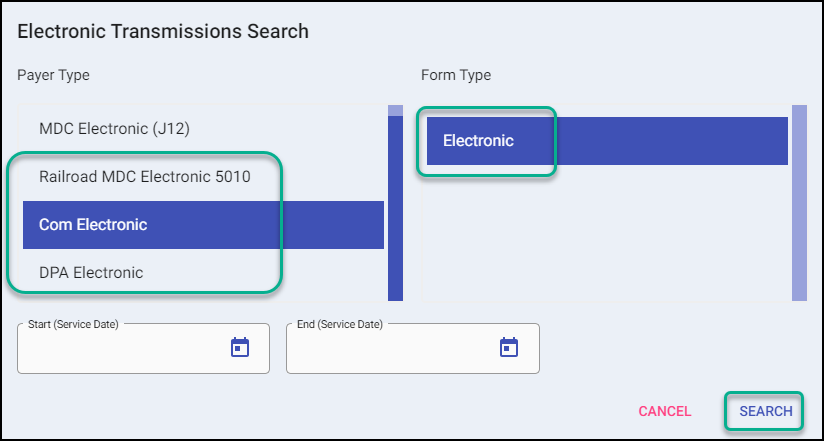
The system will return how many commercial bills were found for transmitting.

If applicable, standard warnings and messages will appear. This includes messages about the Automatic Contractual Allowances and warnings about missing or invalid data on claims.
The transmission process then connects to the AIM Claims Transmission Screen. This may take a few moments.
The claims file must be uploaded by clicking the Upload Button on this screen:
Once transmission is completed, select OK. You can then close the AIM Claims Transmission window.
A prompt will be displayed if the bills transmitted successfully.
- Yes will move the bills into a Transmitted Bill Status.
- No will leave the bills in a Waiting Status.