![AIM Logo Final White RGB@2x.png]](https://3437204.hs-sites.com/hs-fs/hubfs/AIM%20Logo%20Final%20White%20RGB@2x.png?height=50&name=AIM%20Logo%20Final%20White%20RGB@2x.png)
Billing Information

At the top of each bill within the billing module will contain several data points that can be referenced while in the majority of the data entry screens while in the Billing Module.
The current tab name is bold and underlined, while the other tab names are in a lighter color.
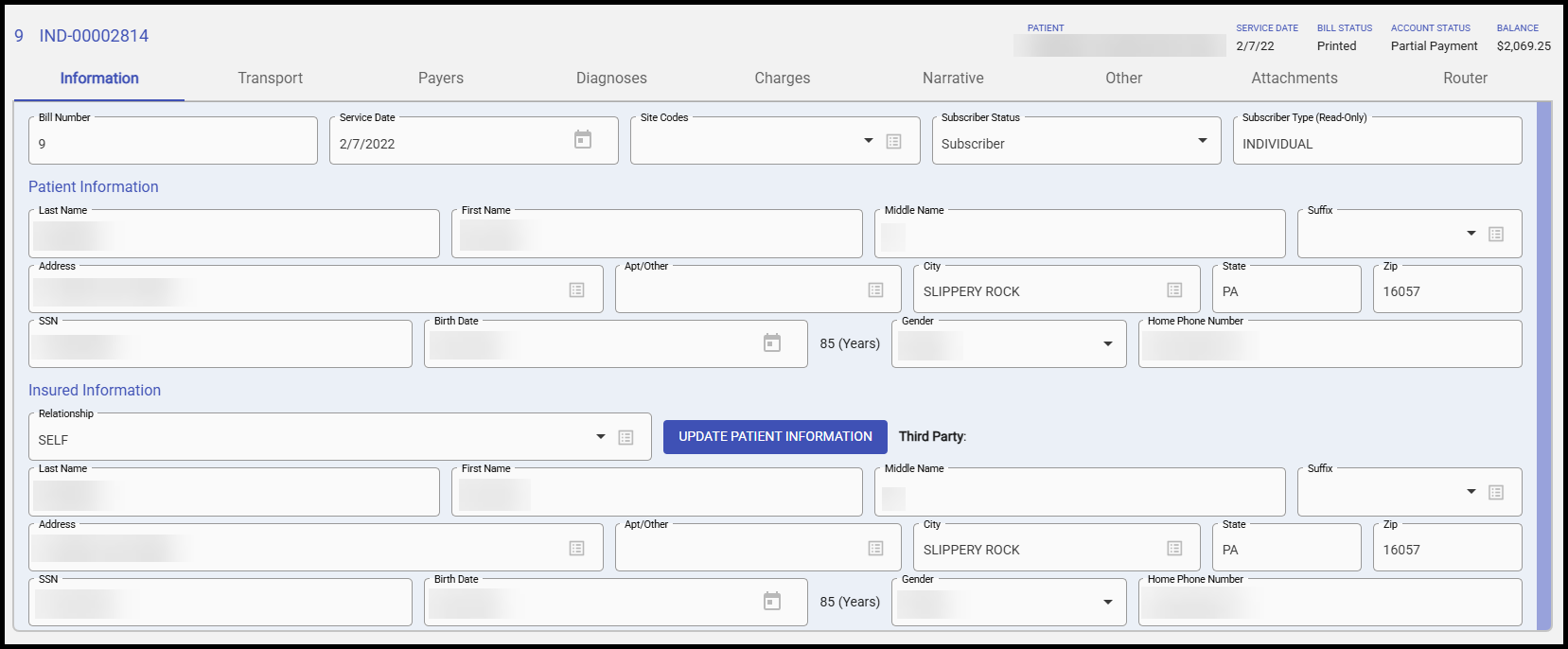
The Information tab is broken into three sections: General Bill Information, Patient Information Section and Insured Information Section.
General Bill Information

Bill Number can be entered manually for each bill or set up with Automatic Bill Numbering in Billing Configuration Settings.
Allows both alpha and numeric characters, including hyphens, up to 15 characters.
Once a bill number is entered and the bill is saved, the bill number can only be changed using the Change Bill Number utility.
Service Date can be manually entered or using the date picker option.
If the Date of Service is less than 365 days from the current date or greater than the current date, a verification prompt will display.
Site Code is not reported to payers, but is used internally for reporting purposes. Available options are configurable under General Setup, Quick Picks Setup (Site Code Type). Multiple Site Codes can be added to each claim.
Subscriber Status will likely affect the way a bill is processed (may be billed at a discounted rate) and works in conjunction with the Accounts/Subscription Module, Subscription Tab.
Patient Information Section
Patient demographics are entered in the Patient Information section.
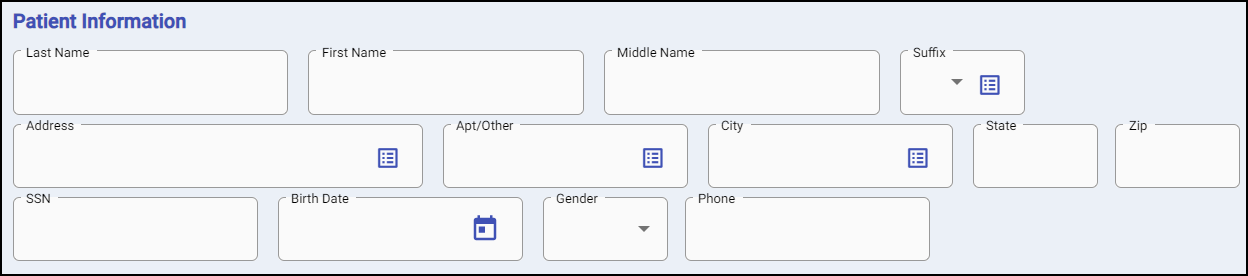
Fields with Quick Pick buttons will display options entered in Quick Pick Setup.
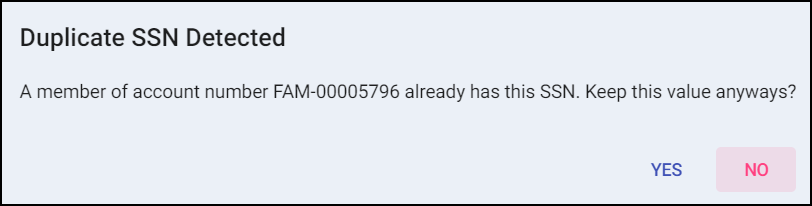
If a Social Security Number (SSN) is entered that already exist in an Account, a prompt will be displayed before data entry continues.
Birth Date will auto calculate the patient age based off the service date and list to the right of the field.

Insured Information Section
Insured demographics are entered in the Insured Information section.

Relationship indicates how the Patient Information and Insured Information correspond. Options for this field configurable under General Setup, Quick Picks Setup (Relationship Type).
If "Self" is selected for the Relationship field, all information from the Patient Information Section will be carried to the Insured Information Section. This automatically happens if "Self" is defaulted to this field in Field Configuration Setup, even if using AIM ePCR to post the PCR to billing.
Update Patient Information will update the Patient Information section to match the Insured Information section.
Third Party indicates if the patient is in the care of a third party. This shows the value for the Third Party field in the Accounts/Sub Module's Account Information Tab.