![AIM Logo Final White RGB@2x.png]](https://3437204.hs-sites.com/hs-fs/hubfs/AIM%20Logo%20Final%20White%20RGB@2x.png?height=50&name=AIM%20Logo%20Final%20White%20RGB@2x.png)
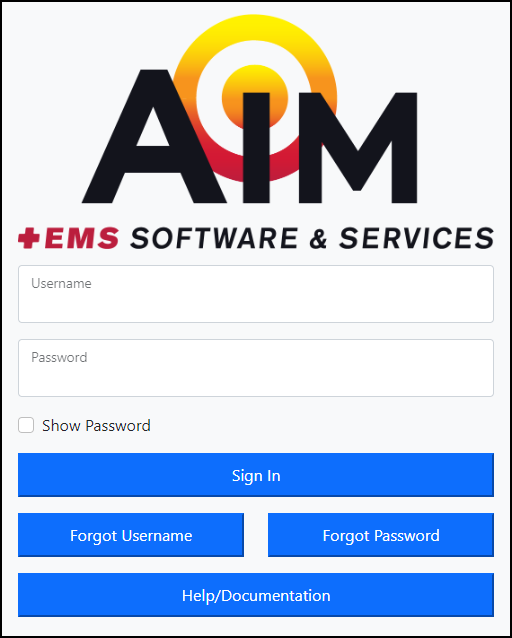
Username: A unique name created by system administration for each user of AIM in User Maintenance Setup.
Password: Password rules apply. Passwords must be strong and reset every 90 days.
Rules for creating a valid password:
-
- Must be at least 8 characters in length.
- Start with an alphanumeric character
- Consist of an alpha character (Upper or Lower case) in combination with at least one of the following characters: Numeric, Symbol or Space
- A space cannot be used as the first or last character
- Must not contain any part of the users first or the last name
- A password must not be one of the user’s previous 2 passwords
- Valid password symbols that can be used: ` ~ ! @ # $ % ^ & * ( ) _ + - = { } | [ ] \ : " ; ' < > ? , . /
Show Password: When selected, displays the entered password in plain text.
Sign In: This button authenticates the entered username and password.
Failed Login Message: If incorrect login information is entered, an error appears above the Username field.
Account Locked: If incorrect login information is entered after five incorrect attempts, the user is locked out of the system for ten minutes.
Users can be unlocked by an administrator with permission in User Maintenance Setup or using the Forgot Password feature.
AIM Two Factor Verification: Two Factor Verification will be required each time the user logs out of the system or after 12 hours of activity. Setup will be completed during users initial login (automatically capturing an e-mail address for new users during this process if one is not already present). Related settings can be updated in User Maintenance Setup.

By providing a phone number and selecting Text Message options, you consent to receive notification messages from the AIM System. Text Message frequency varies based on your configured alerts. Msg & data rates may apply. Reply STOP to opt out, HELP for help.
Selecting Remember This Device will prevent you from having to re-authenticate again for 30 days.

After selecting "Remember This Device", the system will force a reauthentication process after 30 days, or if your account becomes locked or your User Maintenance Setup record is updated.
Customer/Agency Pop-up: If you work in a Billing system with multiple-company setup, you will receive the following pop-up after login. Select a specific Customer and Agency from the drop-down list.
