![AIM Logo Final White RGB@2x.png]](https://3437204.hs-sites.com/hs-fs/hubfs/AIM%20Logo%20Final%20White%20RGB@2x.png?height=50&name=AIM%20Logo%20Final%20White%20RGB@2x.png)
The Subscription Tab contains fields used specifically for subscriptions and a Dues History grid.

Subscriber Type
There are five pre-set Subscriber Types: Business, Family, Group, Individual, and Patient. These should be used to distinguish different accounts/subscribers for reports, organizing, and dues expectations. Subscriber Types can be edited, or additional options added in the Subscriber Type, Quick Pick Setup.
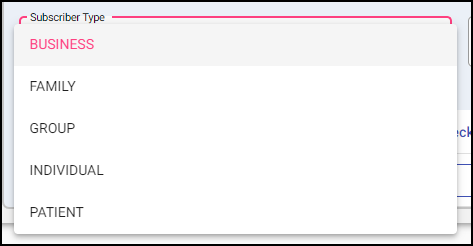
The Subscriber Type can be changed at any time, but if multiple members existing on the account, and the type is change to an Individual, other members will be deleted.
All accounts are created with the "PAT" prefix, changing the subscriber type does not change the account prefix. An Account prefix can only be changed using the Change Account Prefix utility.
Mailing List Field
A subscriber can be added to the Mailing List for inclusion in reports (especially lists) that provide addresses for Subscription Drive purposes. This field provides Yes and No options.
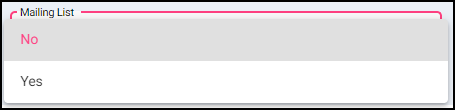
If a subscriber should be removed from mailings for any reason, mark this field as No to remove them from these report lists.
Users can restore those subscribers to the lists by changing the field back to Yes.
Geographic Code Field
This field is user-defined and allows for identification of subscribers by different areas of coverage, which can then be used to pinpoint areas or conduct Subscription Drives based on specific areas of the company’s coverage. Options can be edited or added using the Geographic Code Quick Pick Setup.
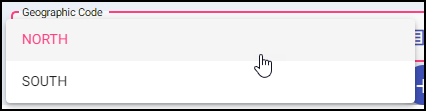
This is an internal identifier, used to filter various Subscription Reports and Lists.
Dues History Grid
This grid organizes payments from the subscriber as entered in the program. Each payment should be entered as a line in this grid, which displays details by columns.

Dues entries are from the Dues Quick Pick Setup, the dues must be established before users enter any data regarding payment received from a Subscription Drive.
Donation Amount is a free-form field that shows any amounts received beyond the dues amount, typically as a gift, not for specific reasons. Data entry of this field allows users to balance daily deposits.
Other Amount is a free-form Field that is intended to track donations given for specific purposes, for example, T-shirts.
Check Number identifies the specific check for money received and entered in any of the first three fields (Dues, Donation Amount, Other Amount).
Payment Date is the date the payment was received.
Expiration Year identifies the Subscription Year of the paid dues, and the designation of the account as a Current Subscriber in the Billing Module (provided that the Subscription Module is properly maintained).
Expiration Date identifies the end date of a Subscription Year, especially when Subscription Drives are done multiple times a year or are not based on the calendar year.
Posted By is automatically populated by the program based off the initials entered in User Maintenance.
Batch Number uses a code (up to five digits) to identify a batch being entered. From this data entry, the batch data is provided on various reports, allowing for analysis beyond daily balancing. It allows values up to 2,147,483,647.
Suggestions:
- Assign a code for each mailing period.
- Assign codes to track solicitations (mailings, phone, newspaper, email, other).
- Assign codes to bundle payments for balancing purposes, if not balancing daily.
Actions
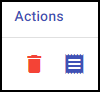
Delete will remove the existing dues line from the grid.
Receipt will create a PDF view of the entry showing the payment information.
The AIM System’s Subscriptions Module enables users to utilize Subscriber Status, which is based on dues being paid. If the current subscription period (usually yearly) does not show that subscriber has paid, and maintenance has been properly executed, that Subscriber Status becomes Non-Subscriber.
It is vital that users complete maintenance actions on a yearly and ongoing basis to maintain the proper Subscriber Status, since Subscription Status usually provides benefits and affects how bills should be handled in the Billing Module.
Subscriber Status is not intended to be a manual update, but does rely upon the data entry of payments for dues, and on the maintenance functions to maintain accuracy.
eServices Subscriptions
AIM offers third party integration features to assist with managing Subscription data through online payment portals. To learn more, contact the AIM Sales Department.
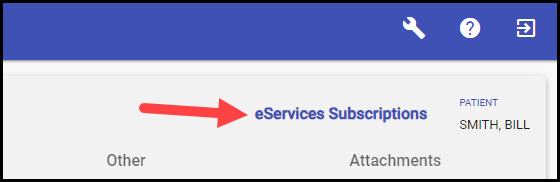
Users who are integrated with eServices for online payment portal or online subscription portal support can access the website through the link in the top-right of the Subscription Tab.